Follow these steps to create items,
Step 1:
Click on items
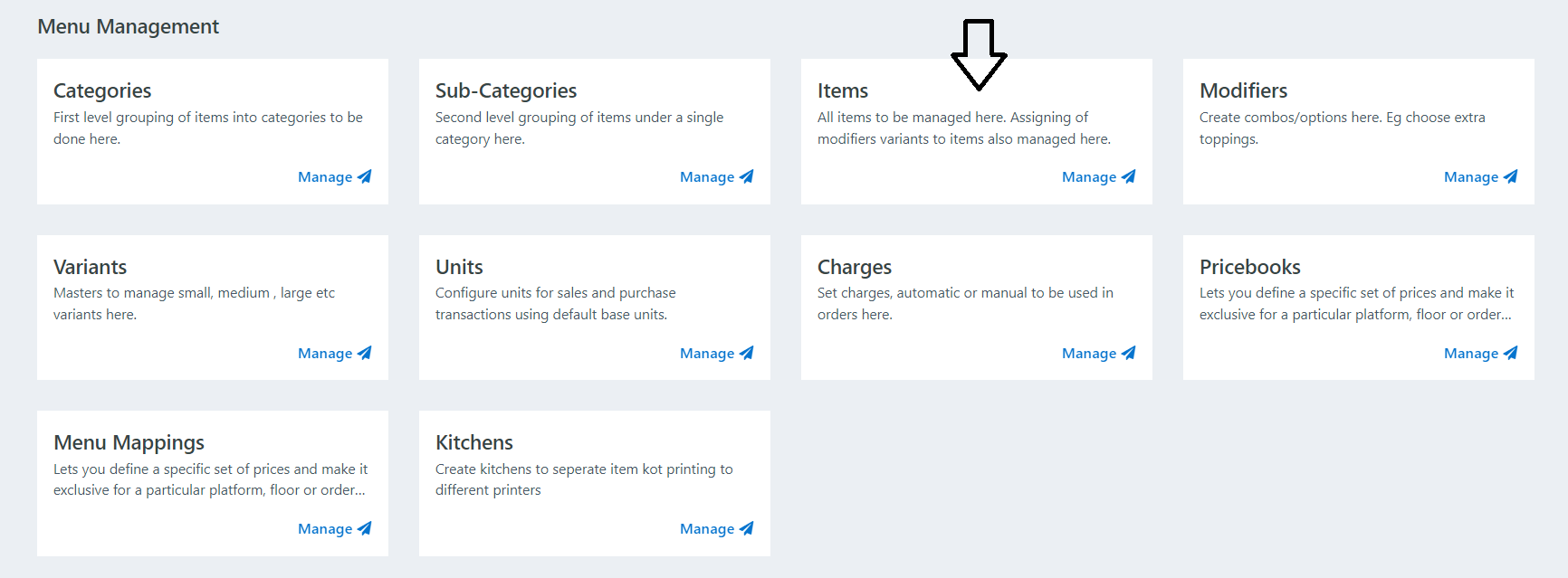
Step 2:
There are two options,
1) New: This is for to create new items.
2) Export: This is for Downloading menu on excel.
Click on New Item

Step 3:
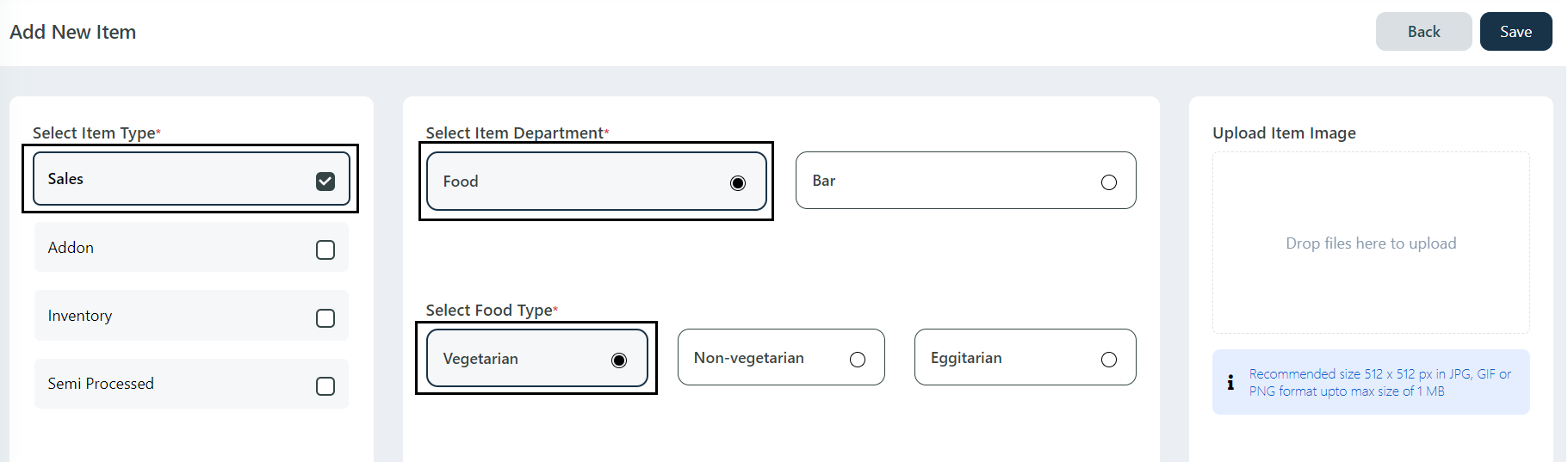
Check on Sale Mark ( This mark is for Items to be displayed on POS) -> Select Food / Bar Type -> Select Veg / Non Veg / Egg.
Step 4:
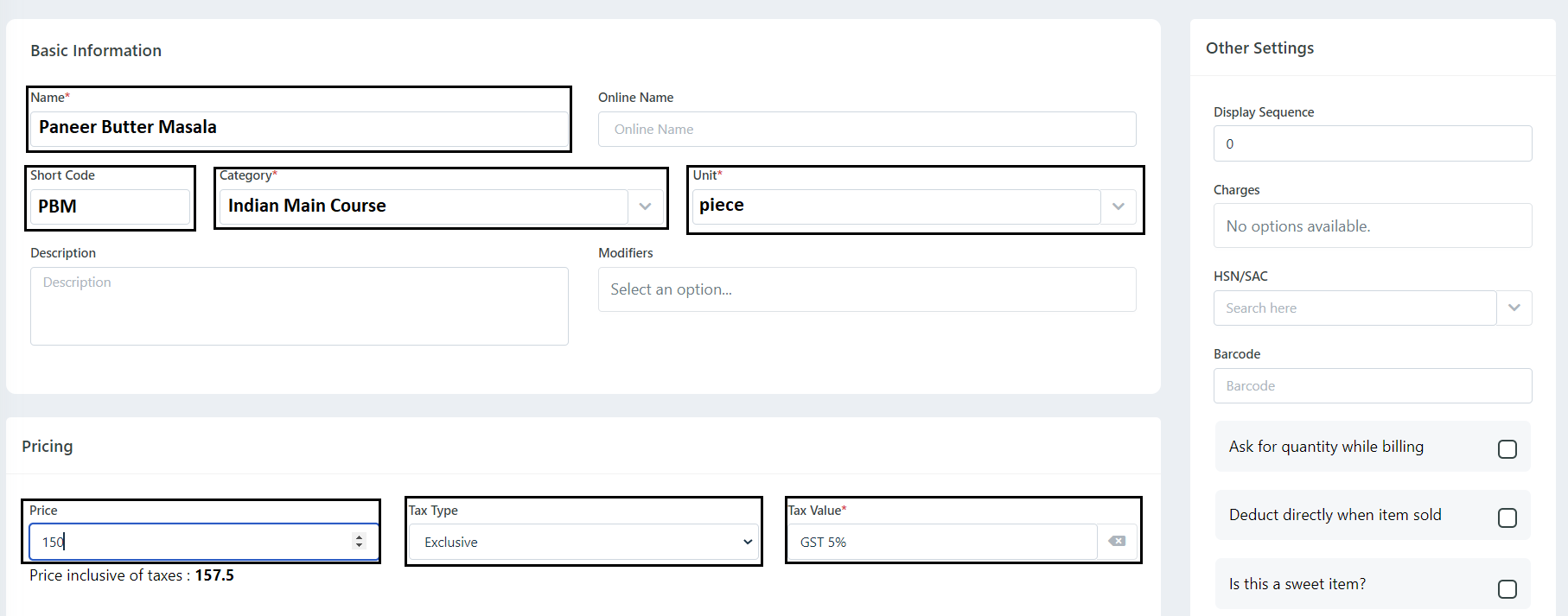
Add Item Name -> Short Code -> Select Category -> Select Unit (Piece) -> Add Price -> Select GST Type (Exclusive / Inclusive , If There is no GST Select None ) -> Select GST Percentage (Ex: GST 5% / 12% / 18%, etc.)
Step 5:
Click on save button to save the item.
Was this article helpful?
That’s Great!
Thank you for your feedback
Sorry! We couldn't be helpful
Thank you for your feedback
Feedback sent
We appreciate your effort and will try to fix the article