These are the steps to create modifier's
Step 1:
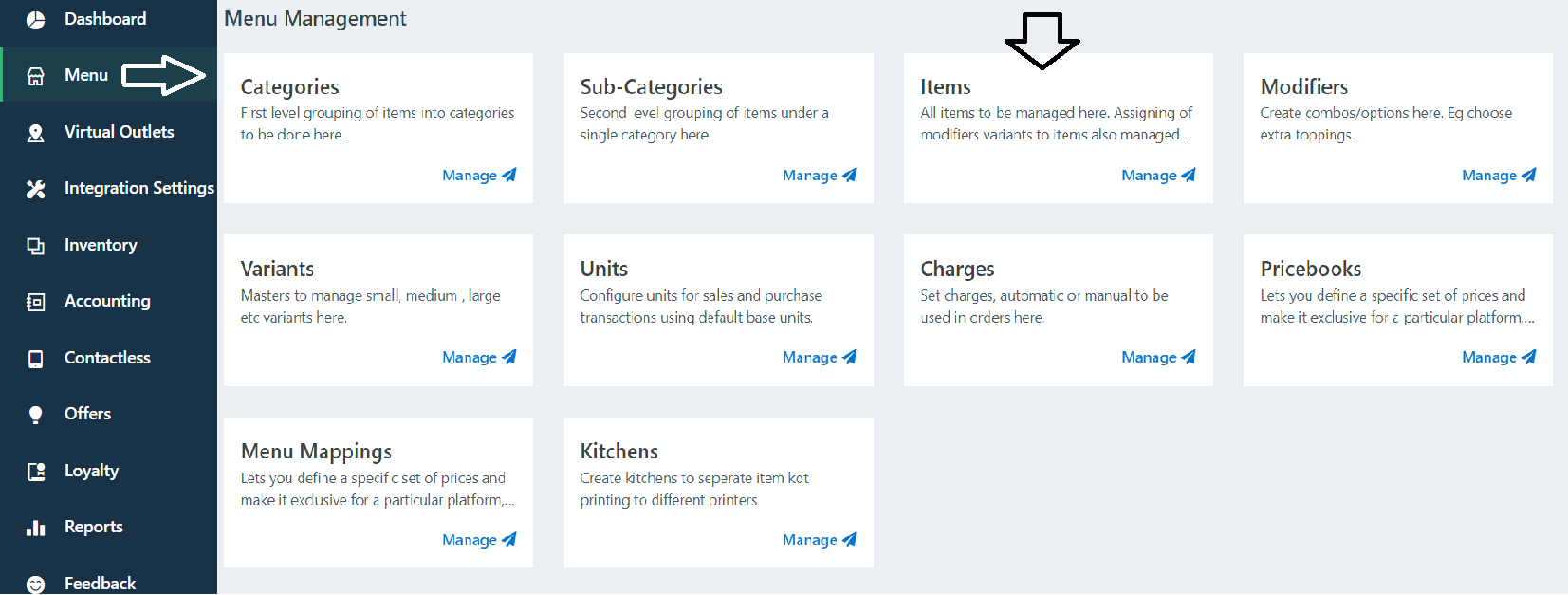
Go to admin Portal -> Go to Menu Sections - > Click on Items
Steps 2:
Click on New

Step 3:
After Click on New.
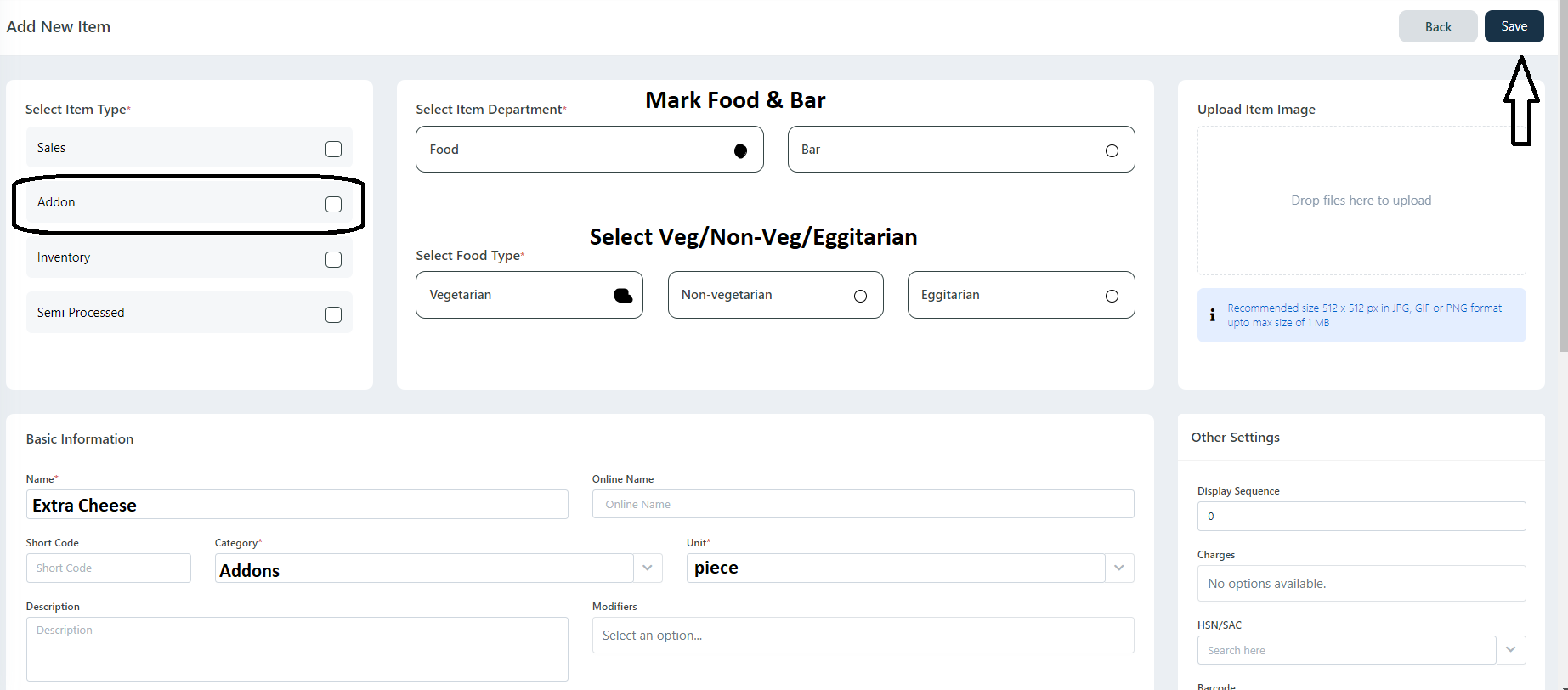
Select Addons check box -> Mark Food & Bar -> Mark Vegetarian/Non-Vegetarian/Eggetarian.
Add Addon Item name -> select category (Eg : Addons) -> Select Unit (Piece) ->Click on Save Changes.
Step 4:
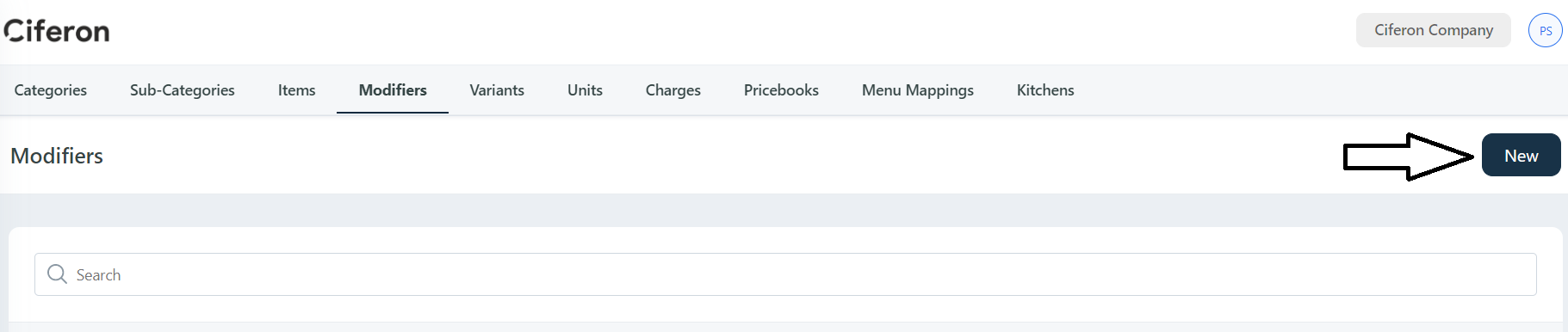
Go to Modifiers

Click on New
Step 5:
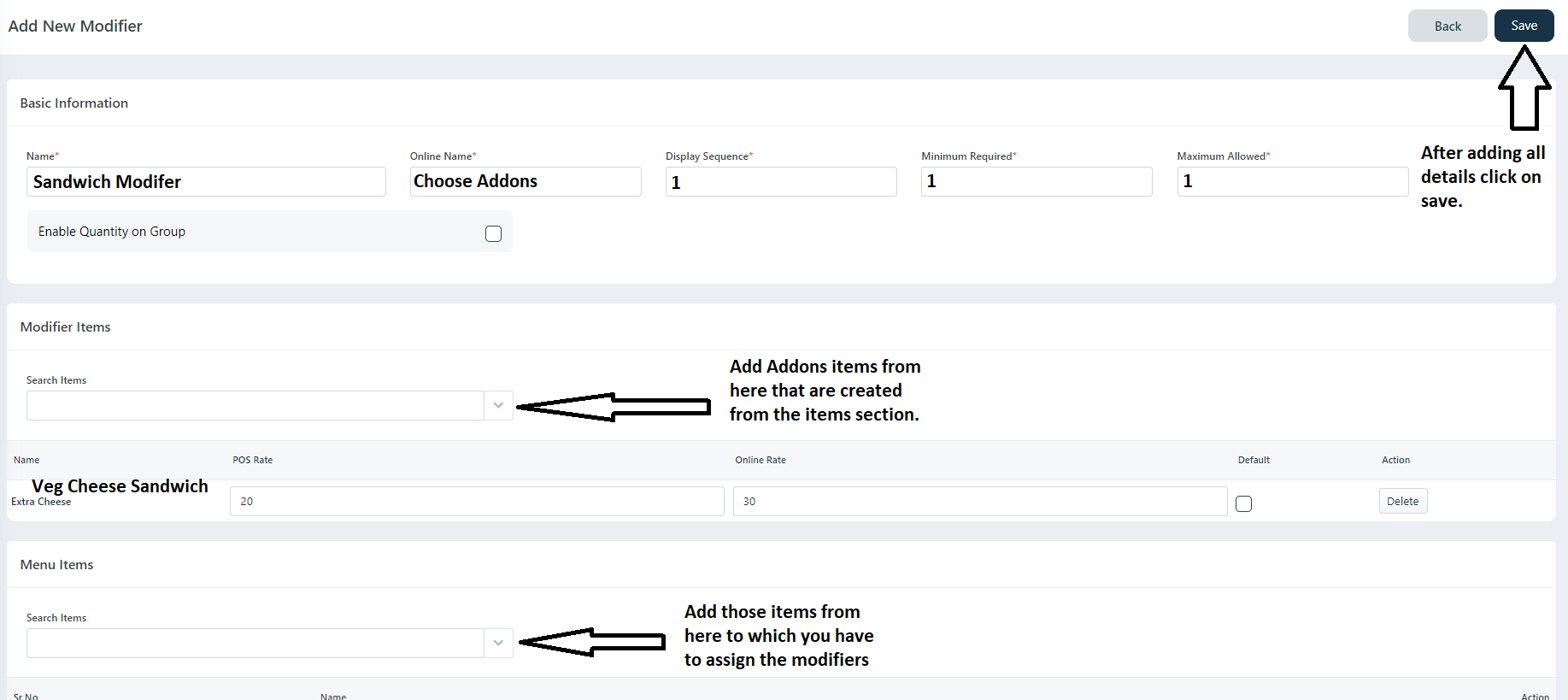
Add Modifier Name (Eg: Sandwich Addons) -> Add Online Name (Eg: Choose Addons) -> Add Display Sequence -> Add Minimum Required (Eg: in Customization minimum 1 or 2 is compulsory) -> Add Maximum Required
(Eg: you can select maximum 5addons or toppings).
Step 6:
Add Addons items -> Add prices for POS (Billing) and For Online.
Step 7:
Add Menu Items (In which you have to assign this Modifier) -> After Adding Click on Save button.
Thank you,
If you have any queries you can contact us on 9112239021/22.
Was this article helpful?
That’s Great!
Thank you for your feedback
Sorry! We couldn't be helpful
Thank you for your feedback
Feedback sent
We appreciate your effort and will try to fix the article