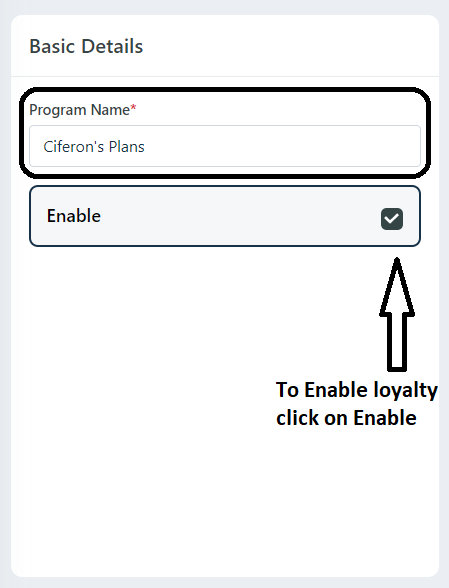
Step 1:
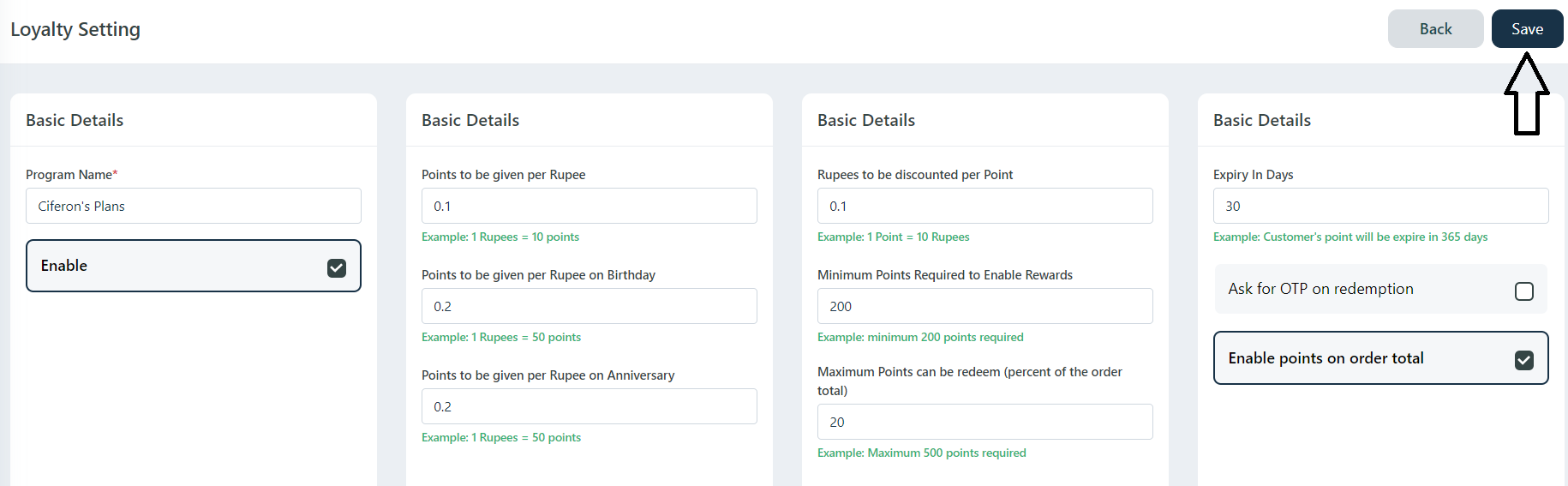
Add Loyalty Program Name -> Enable Loyalty.
Step 2:
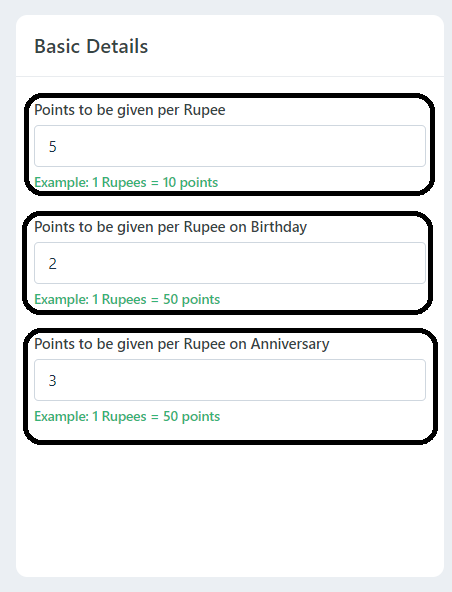
Points to be given per Rupee (Ex: 10 Points on the order total of 100rs)
Points to be given per Rupee on Birthday (Ex: on the customer's birthday they get 20 Points on the order total of 100rs only on her/his Birthday)
Points to be given per Rupee on Anniversary (Ex: on the customer's Anniversary they get 20 Points on the order total of 100rs only on Customers Anniversary)
Step 3:
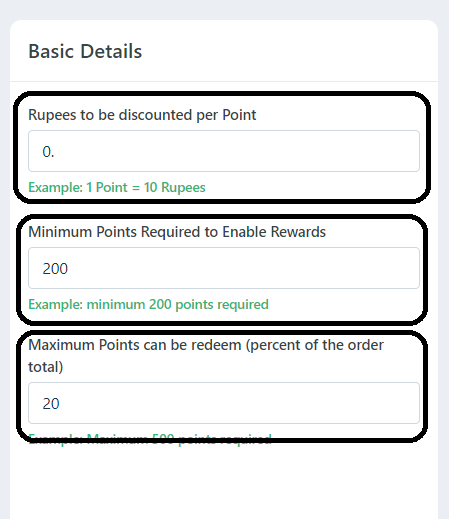
Rupee to be discounted per points (Ex: If you redeem 1 points - 0.10 rupee to be discounted / 1points = 1 Rupee)
Minimum points to required to enable rewards (Ex: If customer want to redeem points they need minimum 200 Points to redeem)
Maximum Points can be redeem (percent of the order total) (Ex: If customer order amount is 1000, He/she will redeem only 20% of order total)
Step 4:
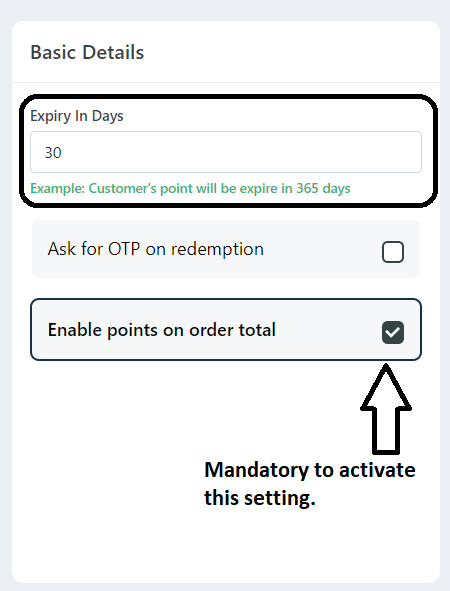
Expiry in Days (Ex: The customer getting points will be expired in 30days)
Ask OTP to redeem Points (Ex: Customer will get OTP to redeem Points)
Enable Points on Order Total (This Setting is mandatory to activate)
Step 5:
After adding values in all tabs click on save button to save the settings.
Was this article helpful?
That’s Great!
Thank you for your feedback
Sorry! We couldn't be helpful
Thank you for your feedback
Feedback sent
We appreciate your effort and will try to fix the article