Steps 1:
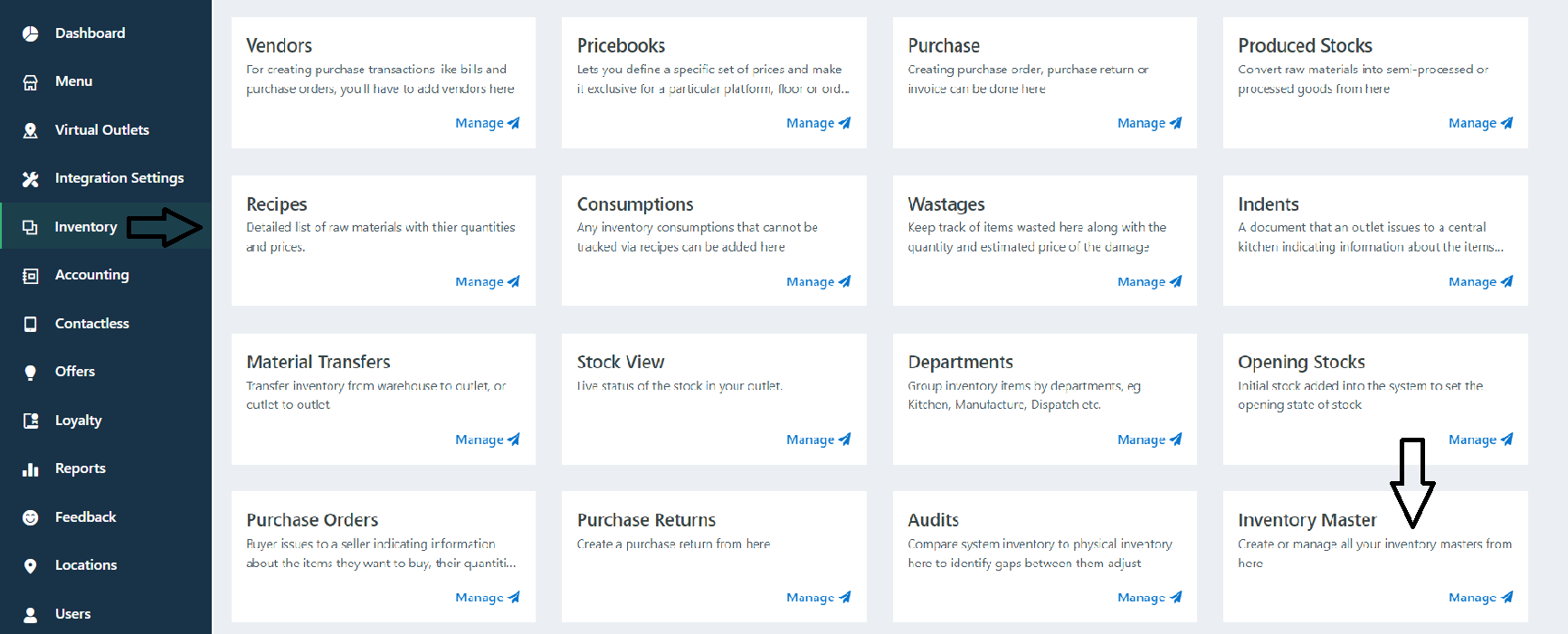
Go to Inventory Section -> Inventory Master
Steps 2:
Search Raw Material Name on Search Tab -> Click on Add Button.

Step 3:
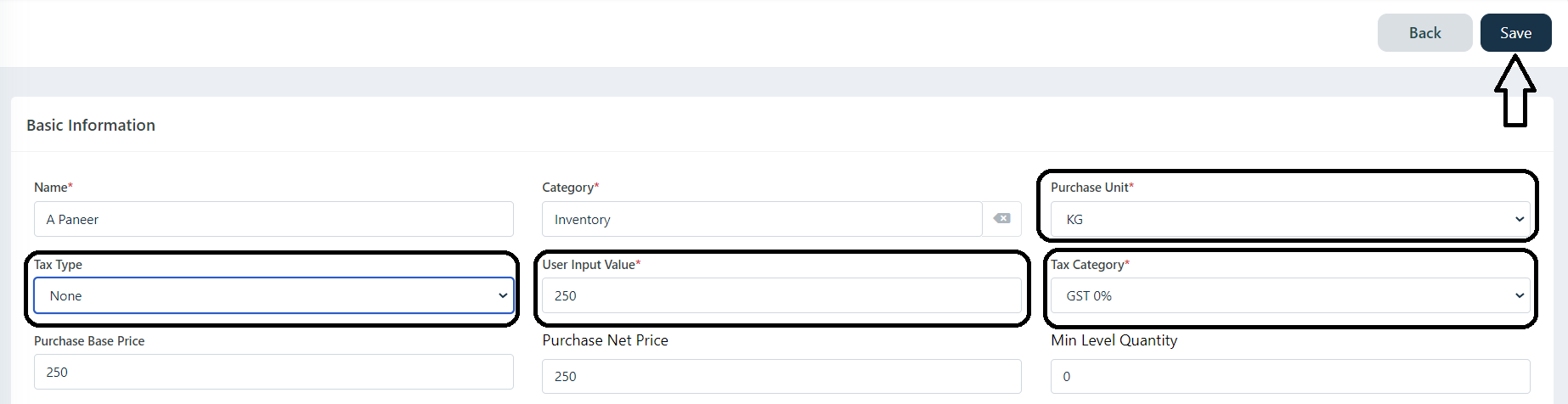
Select Unit of that Raw material -> Select TAX Type (If There is no GST Please mark it "None") -> Add User Input Value (Eg: Put Purchase Price) -> Select TAX Category (Eg: GST 5% / 18%, ETC) -> Click on Save.
Was this article helpful?
That’s Great!
Thank you for your feedback
Sorry! We couldn't be helpful
Thank you for your feedback
Feedback sent
We appreciate your effort and will try to fix the article