Note: Initial stock added into the system to set the opening state of stock
Step 1:
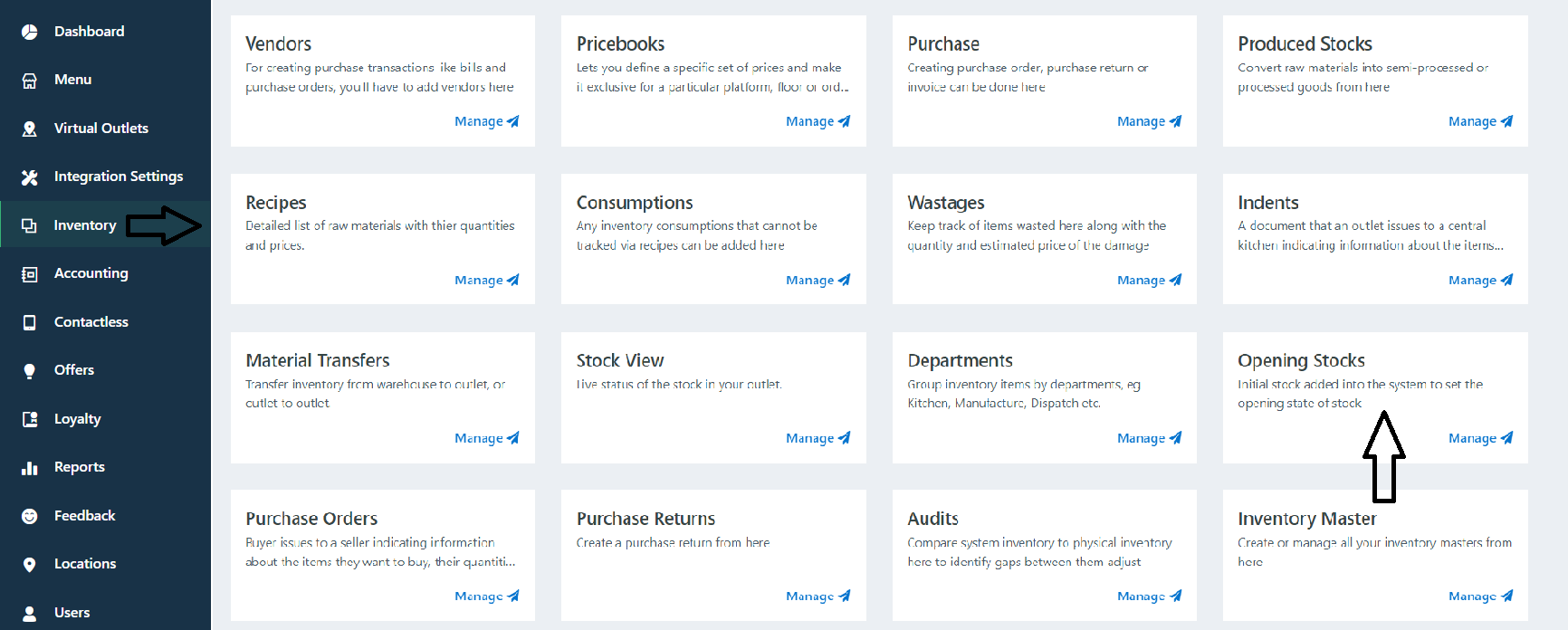
Go to Inventory -> Opening Stock.
Steps 2:
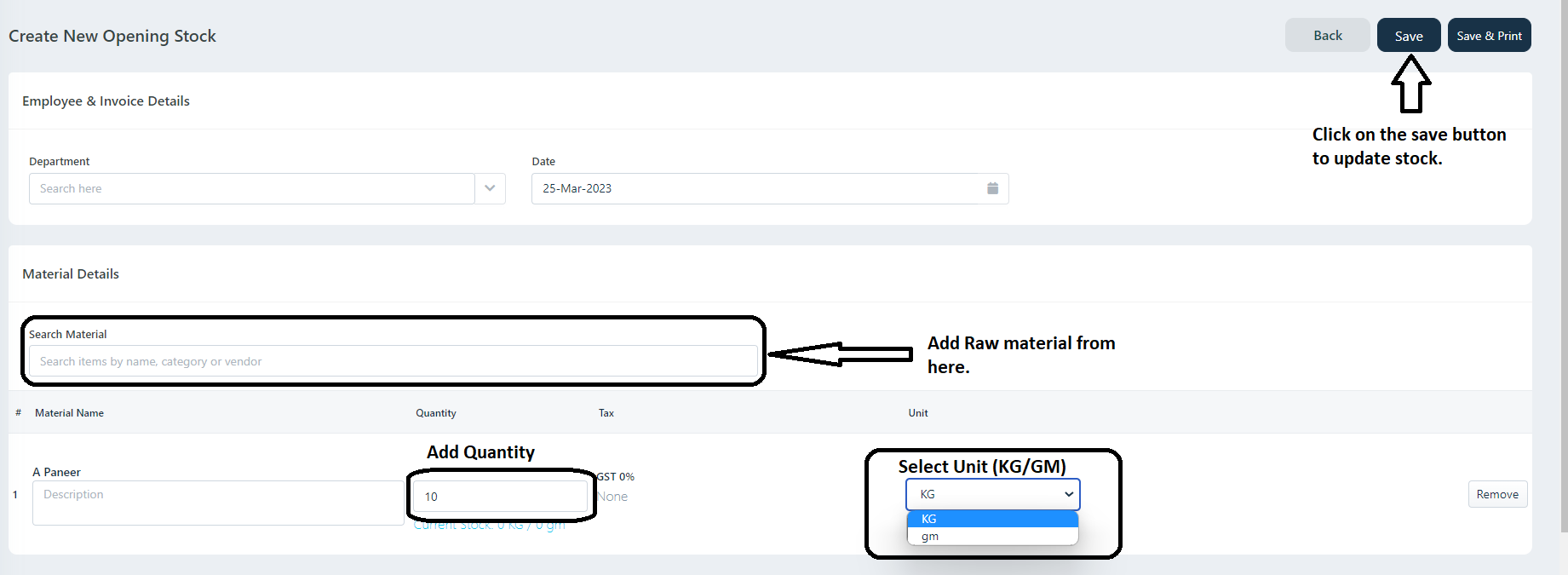
Click on New -> Add Materials -> Add Quantity (how much stock you have) -> Select Unit -> (If you want to add some Comments or remark add in Remark Tab) -> Click on Save.
Was this article helpful?
That’s Great!
Thank you for your feedback
Sorry! We couldn't be helpful
Thank you for your feedback
Feedback sent
We appreciate your effort and will try to fix the article