Step 1:
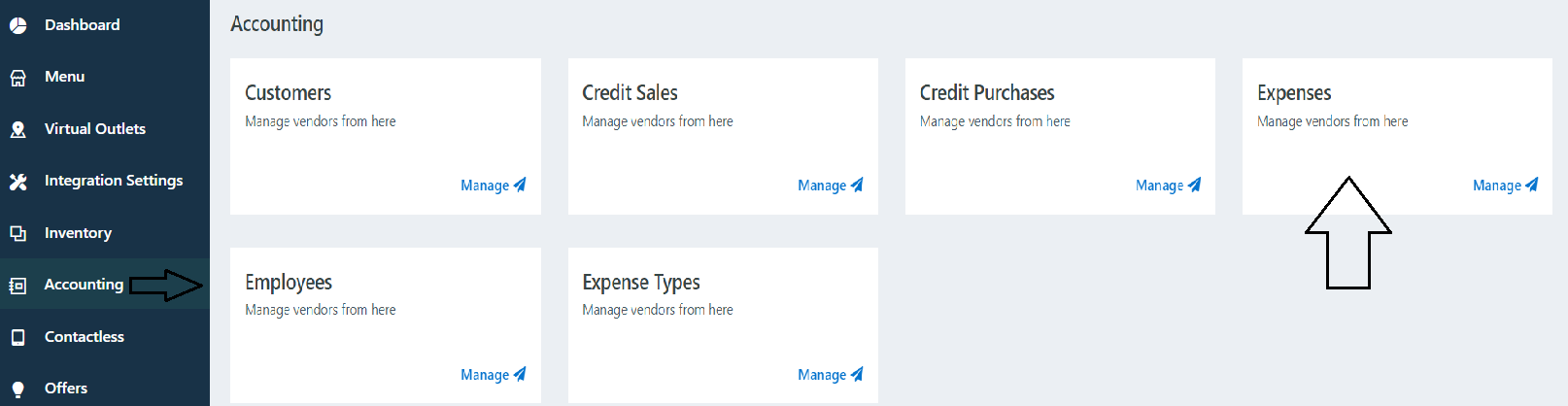
Go to accounts -> Expenses
Step 2:
Click on New

Step 3:
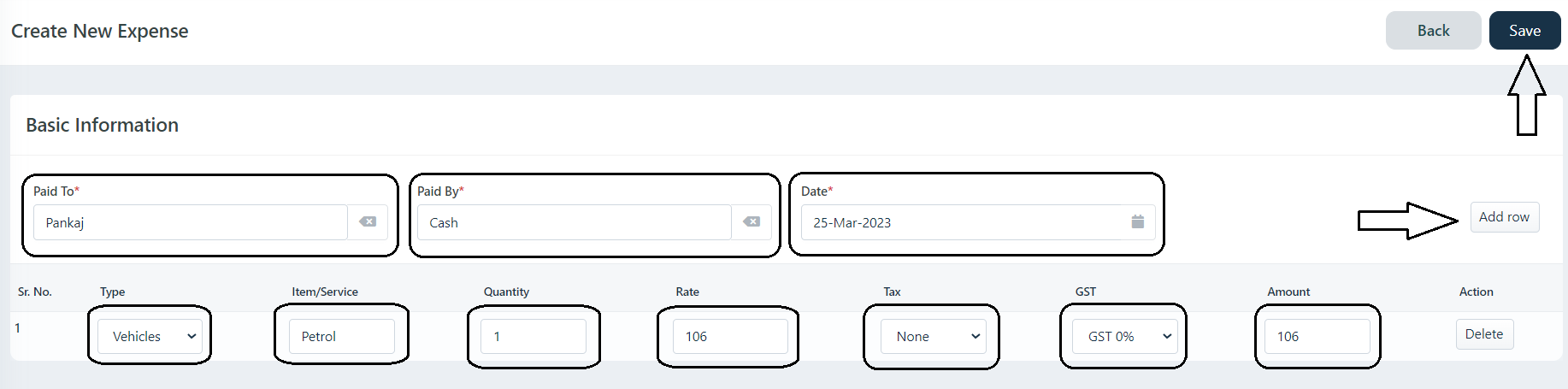
Select Paid To (Ex: Paid by manager or other staff) -> Select Paid By (Ex: Cash) -> Select Date (Select Expense date you can add expense of previous date Ex: 20-03-2023) ->Select Expense Type -> Add Service Type (Ex: Petrol) -> Select Quantity -> Select Rate -> Select TAX Type (If tax is there is not select None).
If you add multiple Expenses Click on Add Rows.
Step 4:
Click on Save to Expenses.
Was this article helpful?
That’s Great!
Thank you for your feedback
Sorry! We couldn't be helpful
Thank you for your feedback
Feedback sent
We appreciate your effort and will try to fix the article